CueTest
AI-powered end-to-end testing that runs browser tests in plain language
About CueTest
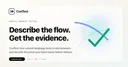
CueTest offers AI-powered end-to-end testing where you write tests in plain language instead of code. The homepage headline reads "AI-Powered E2E Testing, Run Browser Tests in Plain Language." This targets the biggest barrier to E2E testing adoption: writing and maintaining test scripts is expensive and brittle.\n\nTraditional E2E testing (Playwright, Cypress, Selenium) requires developers to write explicit selectors, handle waits, and maintain test code that breaks every time the UI changes. CueTest's pitch is that you describe what to test in natural language and the AI figures out how to interact with the page. "Click the checkout button, fill in shipping details, verify the order confirmation appears" becomes a test without writing a single line of code. The approach has clear benefits for teams without dedicated QA engineers. Product managers and designers can write tests. Non-technical team members can verify critical user flows. The AI presumably handles element location, wait timing, and assertion logic automatically. The risk is reliability. AI-driven tests can be flaky if the model interprets instructions differently across runs or fails to find elements when the page layout changes. The homepage did not expose much content, suggesting the product may be early stage or behind a login wall. For teams evaluating AI testing tools, the critical test is running the same plain-language test 10 times and checking for consistency. If it passes 10 out of 10, it is production-ready. If it passes 7 out of 10, it is a concept demo.
At a glance
What it is
AI-powered end-to-end testing that runs browser tests in plain language
Pricing
Free
Primary category
Image Generation & Editing
Source code
Closed source / hosted
What to consider before using CueTest
CueTest is one of many tools in its category. Before committing to it, weigh a few practical points that tend to decide whether a tool actually fits your work:
- Match the tool to your real task, not to its feature count. A tool that excels at your specific job beats one with a longer checklist you will never use.
- Check how it fits your existing workflow — integrations, export formats, and whether the output needs heavy manual cleanup.
- Read the license and pricing terms for commercial use, especially if you plan to publish or resell what the tool produces.
We describe CueTest and its alternatives honestly so you can compare on substance. Browse the similar tools below to see how it stacks up against other options in the same category.